
Новое поступление

Разветвитель видео UHD Displayport/Displayport 1 4 и HDMI 2 1-совместимый концентратор 1x2 MST SST 8K при
2 097,75 руб.

Переключатель VGA с 8 портами переключатель SVGA Box входами 1 выход монитор Share для
5 472,56 руб.

4 порта Usb разветвитель экрана Kvm переключатель синхронный контроллер клавиатура

4 Port Video Display USB Switch KVM Switcher Splitter Box Keyboard Mouse Synchronizer Controller | Компьютеры и офис

2020 Новое поступление 2 Порты и разъёмы USB KVM 4 Переключатель HDMI разветвитель для

HDMI KVM Switch 4 Port Support 4K*2K@60Hz Extra USB 2.0 4K@60Hz HDCP 2.2 HDR 10 and Dolby Vision functions | Компьютеры и офис

5-ходовой Коммутатор HDMI с ИК-пультом 1080P Full HD для HDTV PS3 DVD | Компьютеры и офис
Характеристики
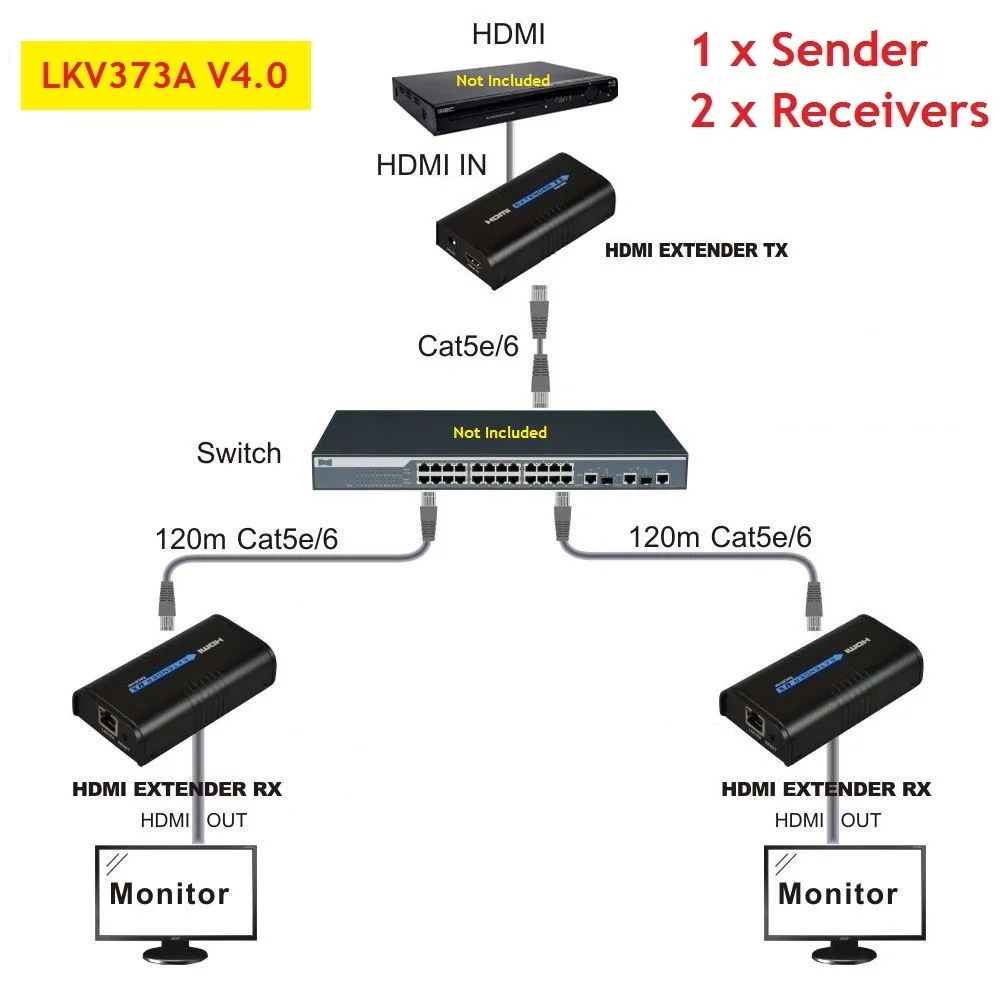
(1 SENDER+ 2 RECIVERS) 120m LKV373A V4.0 HDMI Network Extender Over Ethernet LAN RJ45 CAT5E CAT6 For HD 1080P | Компьютеры и офис
История изменения цены
*Текущая стоимость уже могла изменится. Что бы узнать актуальную цену и проверить наличие товара, нажмите "Добавить в корзину"
| Месяц | Минимальная цена | Макс. стоимость | Цена |
|---|---|---|---|
| Jul-23-2026 | 0.17 руб. | 0.66 руб. | 0 руб. |
| Jun-23-2026 | 0.93 руб. | 0.26 руб. | 0 руб. |
| May-23-2026 | 0.28 руб. | 0.39 руб. | 0 руб. |
| Apr-23-2026 | 0.12 руб. | 0.20 руб. | 0 руб. |
| Mar-23-2026 | 0.83 руб. | 0.64 руб. | 0 руб. |
| Feb-23-2026 | 0.23 руб. | 0.58 руб. | 0 руб. |
| Jan-23-2026 | 0.53 руб. | 0.34 руб. | 0 руб. |
| Dec-23-2025 | 0.32 руб. | 0.61 руб. | 0 руб. |
| Nov-23-2025 | 0.62 руб. | 0.33 руб. | 0 руб. |
Описание товара

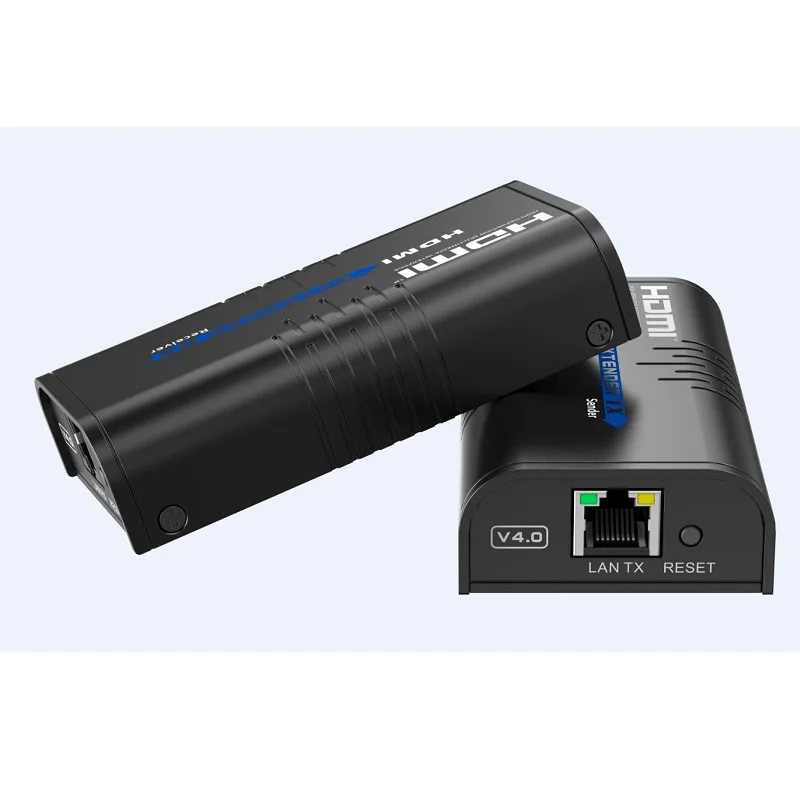
(1 SENDER+ 2 RECIVERS) 120m HDMI Network Extender Over Ethernet LAN RJ45 CAT5E/6
LKV373A-4.0
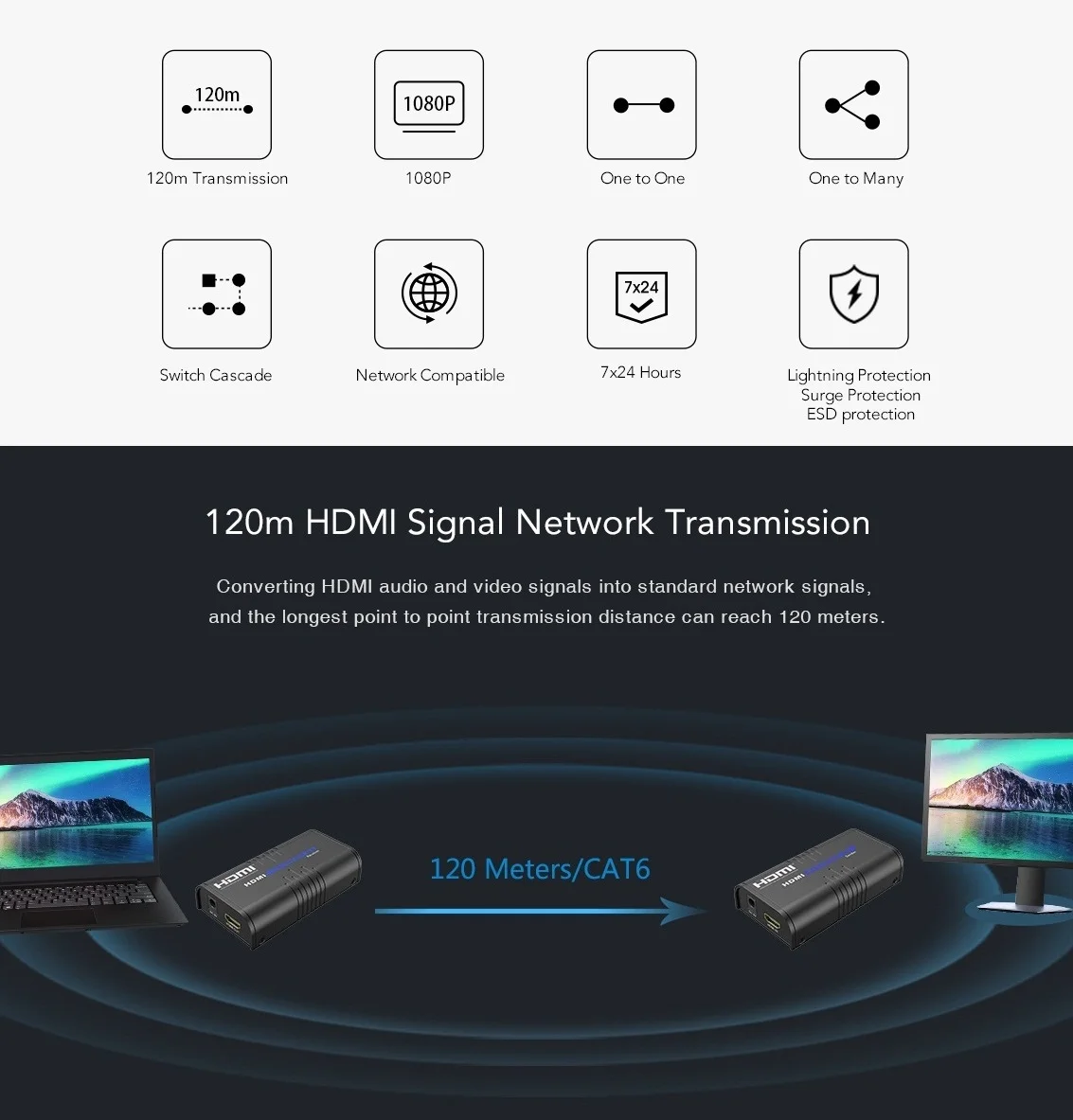
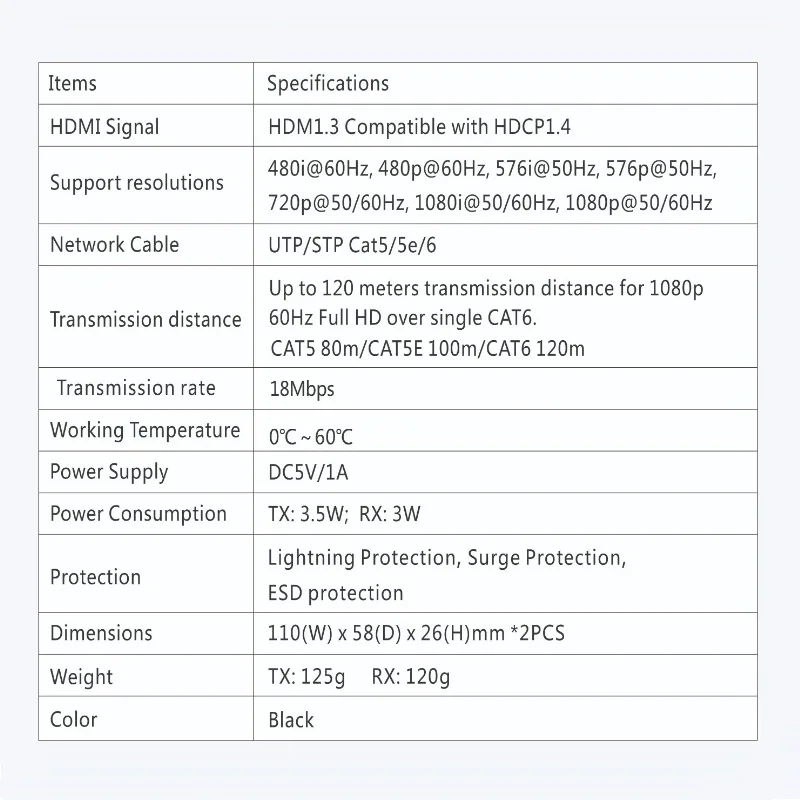
This HDMI extender includes both a transmitter and a receiver unit. It can extend HDMI signal up to 120 meters over single network cables, and the supported resolution up to 1080p@60Hz. This extender is HDCP compliant.
Note:
This is new V4.0 version of LKV373A in 2020, it is not compatible with V2.0 or V3.0 version.
Description
Features:Apply M-JPEG technology to process image compressing. The loss of image quality is very small; 480i@60Hz, 480p@60Hz, 576i@50Hz, 576p@50Hz, 720p@50/60Hz, 1080i@50/60Hz, 1080p@50/60Hz
Supported HDMI format: 480i@60Hz, 480p@60Hz, 576i@50Hz, 576p@50Hz, 720p@50/60Hz, 1080i@50/60Hz, 1080p@50/60Hz
HDCP compatible.
It can transmit HDMI 1080P signal to above 120M by using UTP Cat5e6.
It can transmit by Lan.
Suppoort Lan bandwidth: 100M
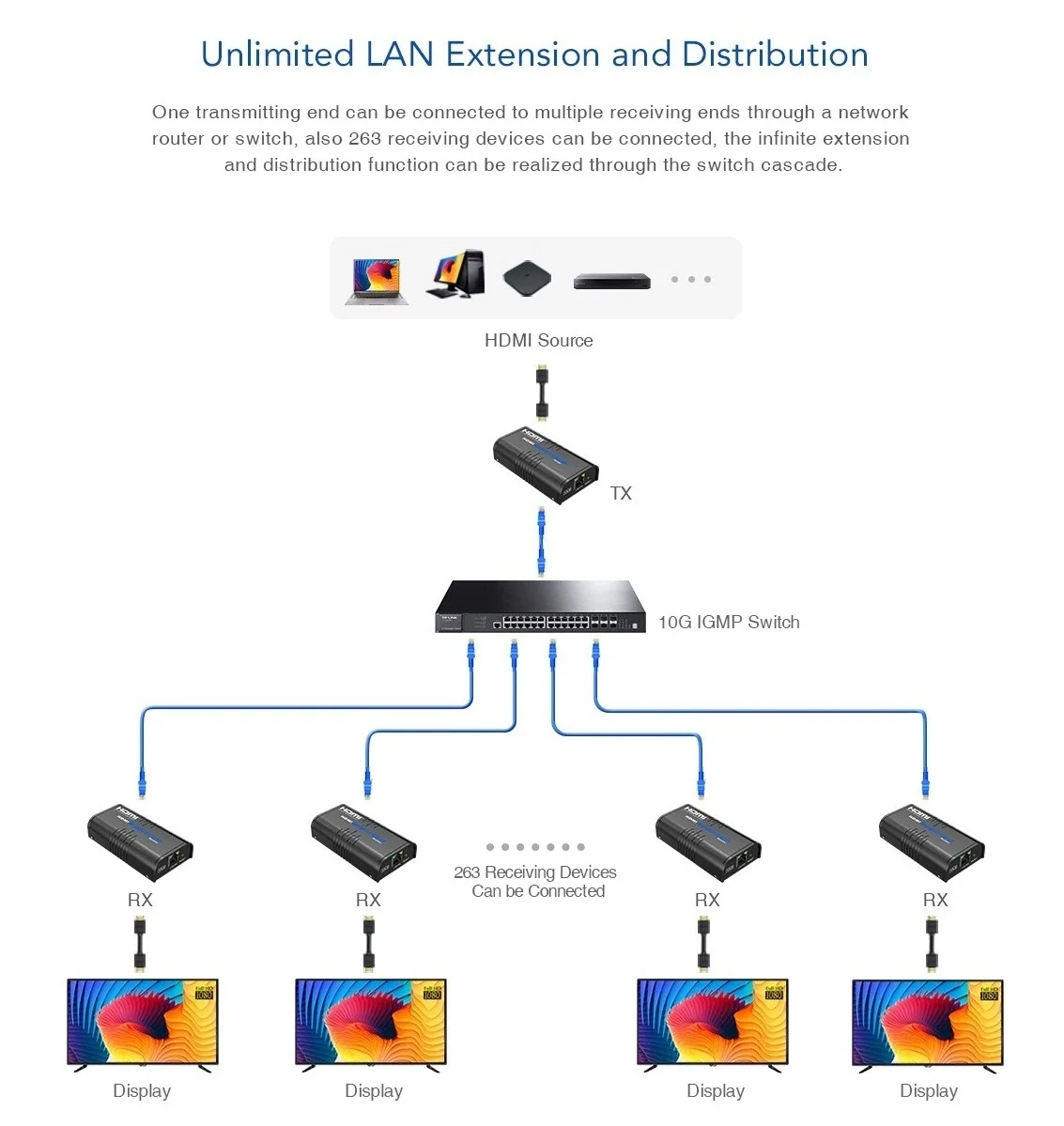
Extend 120M longer by adding one more ethernet router
Power Supply: 5V1A
Product Dimension (LxWxH): 11*5.8*2.6cm

Package Include:
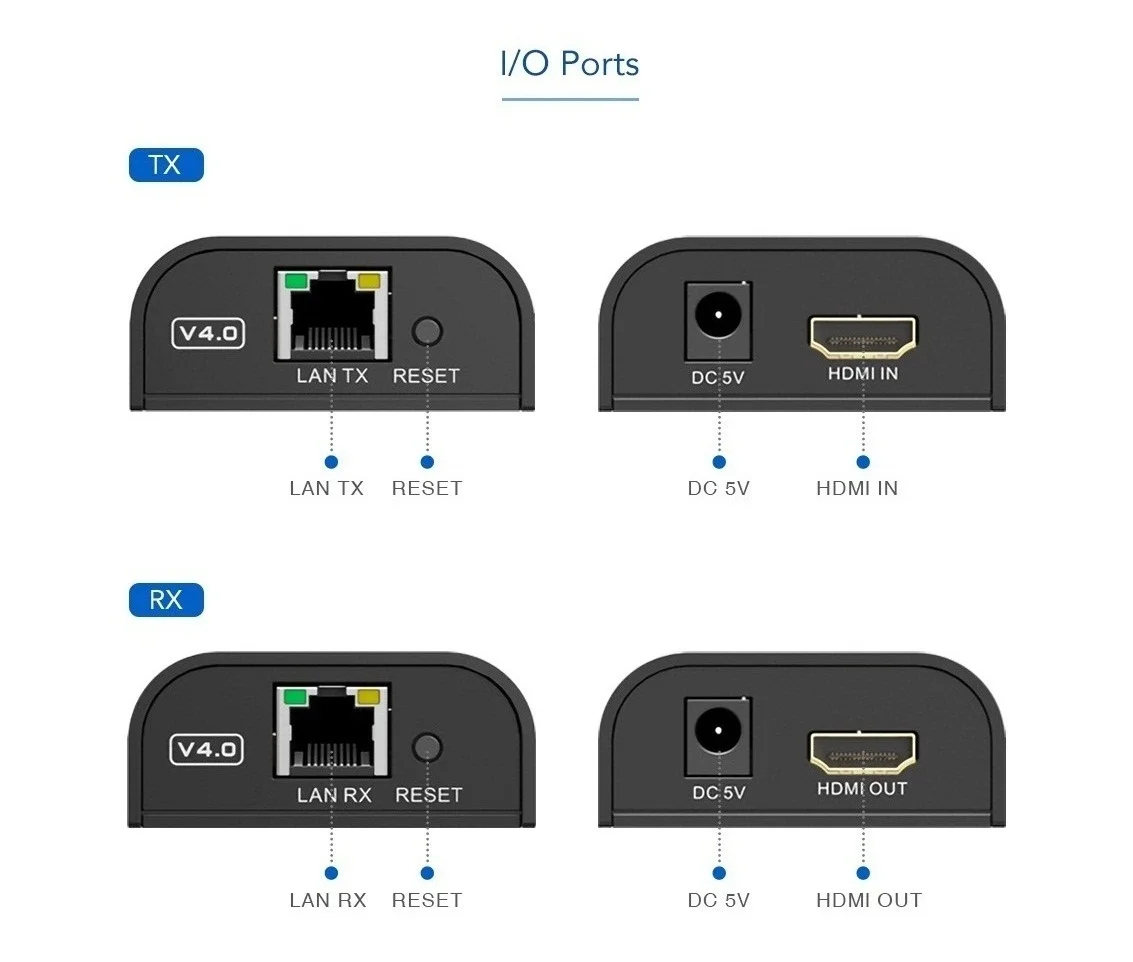
1 x HDMI Extender Sender (V4.0)
2 x HDMI Extender Receiver(V4.0)
3 x power supplier(US,EU,UK,AU)
1 x User manual
FAQ:
Q:Yellow light of Lan port is flashing but slowly!
A:
1)Check whether HDMI Extender TX and HDMI Extender RX is reversed.
2)Check whether HDMI source device output HDMI signal.
3) Change the HDMI cable of TX.
Q:Yellow light of Lan port is flashing quickly but no display?
A:
1):If HDMI source is graphics card, please set the resolution to be supported by display device.
2):Check whether HDMI cable of RX is well connected
3): Change the HDMI cable of RX
Q: Yellow Led light of Lan port is not light?
A:
1)Check connection of network cable.
2.)Network cable is too long.
Q: Abnormal color display or flashing after all the devices are well connected
A:
1)Pls press reset button of HDMI extender
2)Following the standard of IEEE-568B
Смотрите так же другие товары: